Claude Code Hooks: Track Agent Status Automatically
You do not need to read terminal output to know what an agent is doing. Claude Code can run a small command every time something happens, and that command can write the state somewhere you already look. This guide shows where hooks live, which events are worth using, and a minimal example you can adapt.
What a Claude Code hook is
A hook is a command that Claude Code runs when a specific event happens. You define it in settings.json, next to your other Claude Code settings. When the event fires, Claude Code passes the event information to your command as JSON on stdin.
The command can do anything you can do in a shell: append a line to a status file, call a local HTTP endpoint, send a desktop notification, or update a small dashboard. For a status hook, the command just needs to finish; its output is not the point.
Which event fires when
- SessionStart — a session starts or resumes. Good for marking an agent as available.
- UserPromptSubmit — you send a prompt. This is the moment an agent goes from idle to working.
- PreToolUse — before Claude Code runs a tool, such as reading a file, editing a file or running a shell command.
- PostToolUse — after that tool finishes. Useful for a "last action" line.
- Notification — Claude Code needs your attention, for example when it asks for permission. This is the event that tells you an agent is waiting on you.
- Stop — the agent finishes its turn. Note that a turn is not always the whole task; the agent can stop, report, and continue when you send the next prompt.
A minimal settings.json example
This example runs one script for Notification and the same script with a different argument for Stop. The argument is read by the script; it is not a Claude Code setting.
{
  "hooks": {
    "Notification": [
      {
        "hooks": [
          {
            "type": "command",
            "command": "~/bin/agent-status.sh waiting"
          }
        ]
      }
    ],
    "Stop": [
      {
        "hooks": [
          {
            "type": "command",
            "command": "~/bin/agent-status.sh done"
          }
        ]
      }
    ]
  }
}
Read the nesting from the outside in. The top-level key is hooks. Under it, each event name holds an array. Each item in that array has its own hooks array, and each entry there has a type and a command. To add another event, copy the same shape and change the event name and the command.
The script itself is yours. A minimal version reads stdin, picks the status from the argument, and writes a line with a timestamp to a file that your status view watches. Replace the path with a script that exists on your machine and that you have read.
The security rule for hooks
Security: a hook is not a sandbox. It runs as your user, with your permissions, and it can read, write or delete anything you can. Add hooks only from a source you trust, read the command before you save it, and keep the script in your own repository. If a config asks you to pipe a download straight into a shell, do not use it.
How Foxpit gets agent status
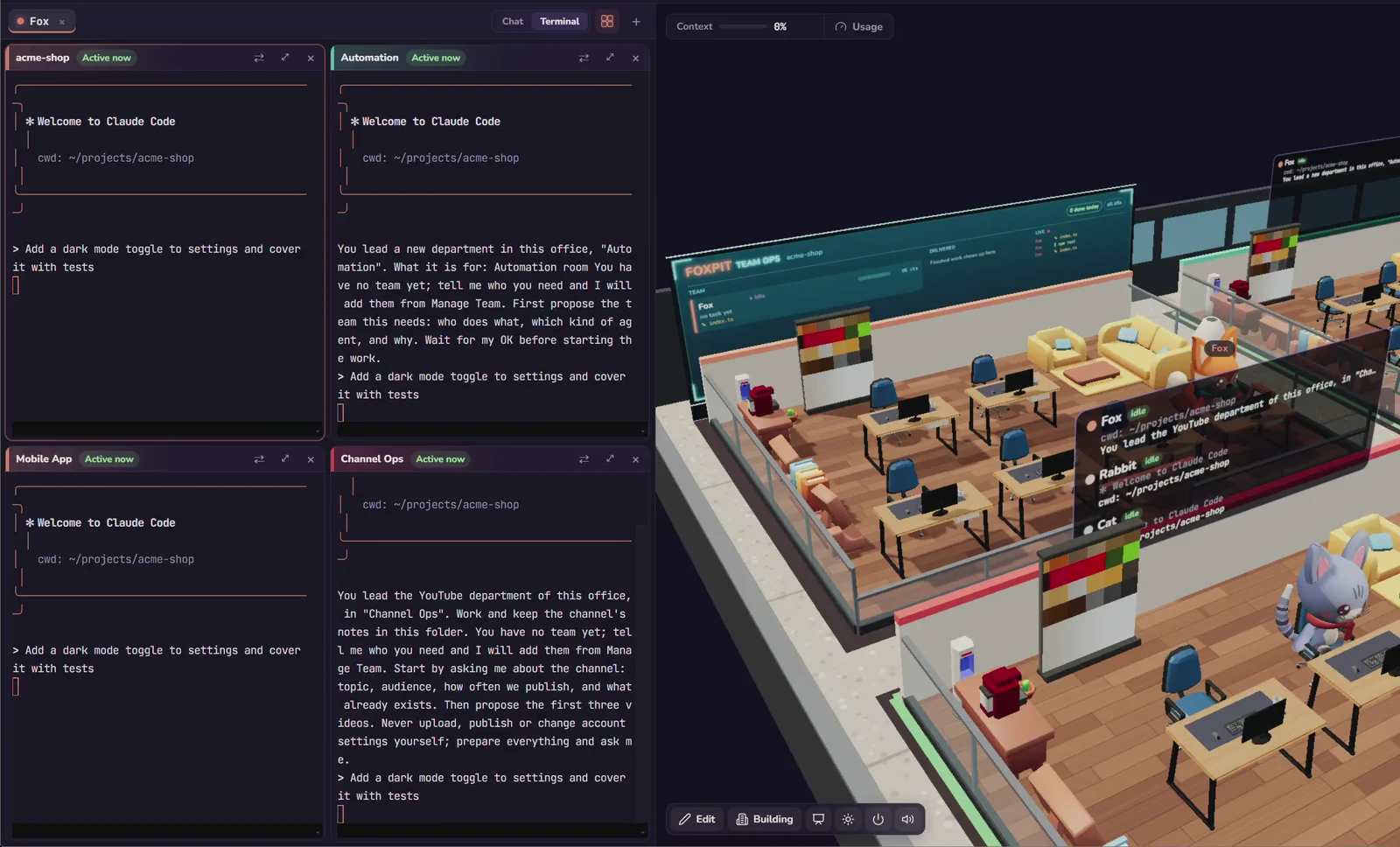
Foxpit uses hooks to keep its agent view current. Events travel over 127.0.0.1, and the app has no analytics or telemetry.
- State per agent. Hooks mark an agent as active, waiting or done, so the team panel and the terminal grid agree.
- Permission requests surface. When an agent is blocked on approval, Foxpit sends a desktop notification and moves that agent to the top of the team panel.
- Local only. Agent events stay on your machine; code, prompts and terminal output are not sent to a Foxpit server.
Related guides: running several Claude Code agents in parallel and shared memory for AI coding agents.
Frequently asked questions
Where do I define a Claude Code hook?
In Claude Code's settings.json. A user-level hook goes in ~/.claude/settings.json; a project hook goes in .claude/settings.json inside the repository. The structure is the same in both: a hooks object, the event name, and an array of commands.
Which events do I need for a status view?
Notification and Stop cover the two states you care about most: an agent waiting for you and an agent that finished its turn. Add SessionStart, UserPromptSubmit, PreToolUse and PostToolUse if you want a fuller timeline.
Does a hook send data to the cloud?
Only if your command does. The hook runs locally and Claude Code passes the event as JSON on stdin, so a script that writes a local file keeps the data on your machine. Foxpit keeps agent events on 127.0.0.1 and has no telemetry.
Is it safe to copy a hook config from the internet?
No. A hook runs a command on your machine with your permissions, so treat a copied config like a script you are about to run: read it, check every path, and only use scripts you trust.
Turn agent events into a status view.