How to Use Claude Code and OpenCode Together
Claude Code is strong at planning and judgment but its quota runs out. OpenCode can run almost any model, including cheap and free ones. Used together they cover each other's weak spots. Here is a setup that works without copying context back and forth by hand.
Why use both
- Different strengths. A top model is worth its cost for architecture, tricky bugs and review. It is wasted on renames, boilerplate and running tests.
- Different limits. When Claude Code hits its usage limit, an OpenCode session on another provider can keep going.
- Model choice. OpenCode lets you pick the model per session, so you can match the model to the task instead of using one for everything.
Step 1: One set of instructions for both
OpenCode reads AGENTS.md; Claude Code reads CLAUDE.md. Keep your real rules in AGENTS.md and make CLAUDE.md a one-line import, so the two never drift apart:
# CLAUDE.md
@AGENTS.md
Put build and test commands, code style, folders not to touch and how to report results in AGENTS.md.
Step 2: Split the work by role
- Claude Code plans. Ask it to break the goal into small tasks, each with the files involved, the expected behaviour and a command that proves it works.
- OpenCode implements. Give each task to OpenCode on a cheaper model, one task per session.
- Claude Code reviews. Bring the diff back to Claude for review instead of the whole session history.
# Hand one scoped task to OpenCode on a cheaper model
opencode run -m <provider/model> "TASK: add input validation to src/api/users.ts.
Only touch src/api/users.ts and its test.
Done when: npm test -- users passes. Reply with a 3-line summary."
Step 3: Isolate parallel agents with worktrees
If both agents run at the same time, give each its own Git worktree so their edits cannot collide. Merge when the review passes. The worktrees guide has the commands.
Step 4: Keep shared notes in the repo
Neither agent can read the other's chat. Decisions, open questions and "what changed today" belong in a file both can read. See shared memory for AI coding agents for a structure that stays small.
Tip: Ask every agent to end its turn with a three-line summary: what changed, how it was verified, what is left. Short summaries are what keep the reviewer's context, and quota, small.
Doing this in Foxpit
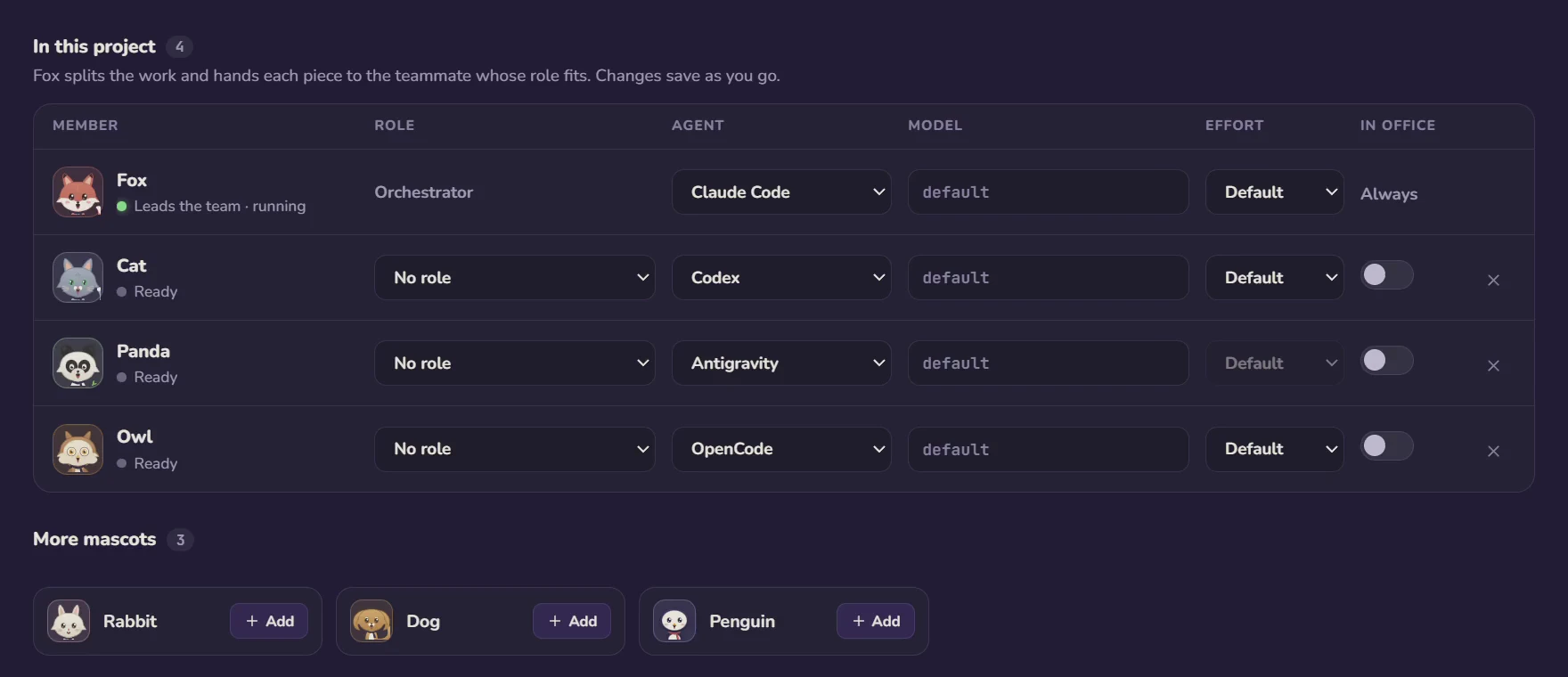
Foxpit is a desktop app built for exactly this setup. It runs Claude Code, Codex, OpenCode and Antigravity as one team:
- Any agent per seat. The lead (Fox) can run on Claude Code while teammates run OpenCode on the models you choose.
- Tasks handed out for you. Describe a goal; Fox splits it into task cards and assigns them to teammates.
- Shared memory. Every agent reads the same project memory in
.foxpit/memory, so OpenCode starts knowing what Claude decided. - Worktrees and delivery cards. Optional per-agent worktrees, and a card for each finished task with files changed, test results and cost.
- Limits handled. When Claude hits its limit, it waits and resumes at the reset while OpenCode teammates keep working.
Frequently asked questions
Can Claude Code and OpenCode work on the same repository?
Yes. Both work on ordinary files and Git. Give each agent its own Git worktree when they run at the same time, so they do not overwrite each other's changes.
How do I share project instructions between Claude Code and OpenCode?
Keep the rules in AGENTS.md, which OpenCode reads, and add a CLAUDE.md that imports it with a line like @AGENTS.md. Both agents then follow one set of instructions.
Which tasks should go to OpenCode and which to Claude Code?
A common split: Claude Code plans, makes design decisions and reviews diffs; OpenCode on a cheaper or free model does scoped edits, tests, migrations and documentation.
Is there an app that runs Claude Code and OpenCode as one team?
Foxpit is a desktop app that does this: each seat in a team can run a different agent, a lead agent hands out tasks, and every agent shares one project memory stored as markdown in the repo.
Run Claude Code and OpenCode as one team.