Run Multiple Claude Code Agents in Parallel
Executing several autonomous Claude Code instances simultaneously speeds up complex refactoring, test generation, and debugging. Here is how to run parallel sessions without collisions or missing approval prompts.
The Parallel Agent Challenge
When developers run claude in a single terminal, execution is strictly sequential: the agent analyzes files, proposes edits, runs tests, and waits for your confirmation. On large features or monorepos, this creates bottlenecks.
However, simply opening four terminal windows and typing claude in each introduces three major issues:
- File Stomping: Two agents modifying files in the same working tree will overwrite each other's changes, leading to broken syntax and merge chaos.
- Approval Bottlenecks: Claude Code regularly pauses for user confirmation before executing bash commands. If a session is hidden in a background tab, it sits idle for hours.
- Context & Quota Drainage: Running multiple instances of top-tier models on minor tasks quickly burns through rate limits and subscription allowances.
Step 1: Isolate Each Session with Git Worktrees
Never point two simultaneous Claude Code instances at the same root directory. Instead, use native Git worktrees to create linked, isolated checkouts sharing the same repository history:
# Create two independent worktree directories
git worktree add ../feature-auth -b feat/auth
git worktree add ../feature-docs -b chore/docs

# Verify your linked worktrees
git worktree list
Each directory has its own working files and current branch pointer, while sharing the underlying .git/objects database. Any commits made in ../feature-auth are immediately visible in the main repository.
Step 2: Assign Clear, Non-Overlapping Scopes
When launching Claude Code in each directory, provide strict boundary instructions in your initial prompt. For example:
# Terminal 1 (Auth Feature):
cd ../feature-auth
claude "Implement OAuth2 token refresh in src/auth/. Do not touch src/docs or test suites outside auth."

# Terminal 2 (Documentation & Types):
cd ../feature-docs
claude "Audit all API endpoints in src/api/ and update markdown documentation in docs/api.md."
Pro-Tip: Set a clear definition of done in the prompt. Ask the agent to run local linter checks before declaring completion, so you receive self-verified branches.
Step 3: Solving the Approval Notification Problem
Claude Code requires confirmation before running risky shell commands (e.g., rm, npm install, or curl requests). When juggling multiple sessions, you will inevitably leave agents paused while you focus on another task.
To monitor prompts efficiently, developers traditionally use terminal multiplexers like tmux or window managers. However, visual bells can be easily missed.
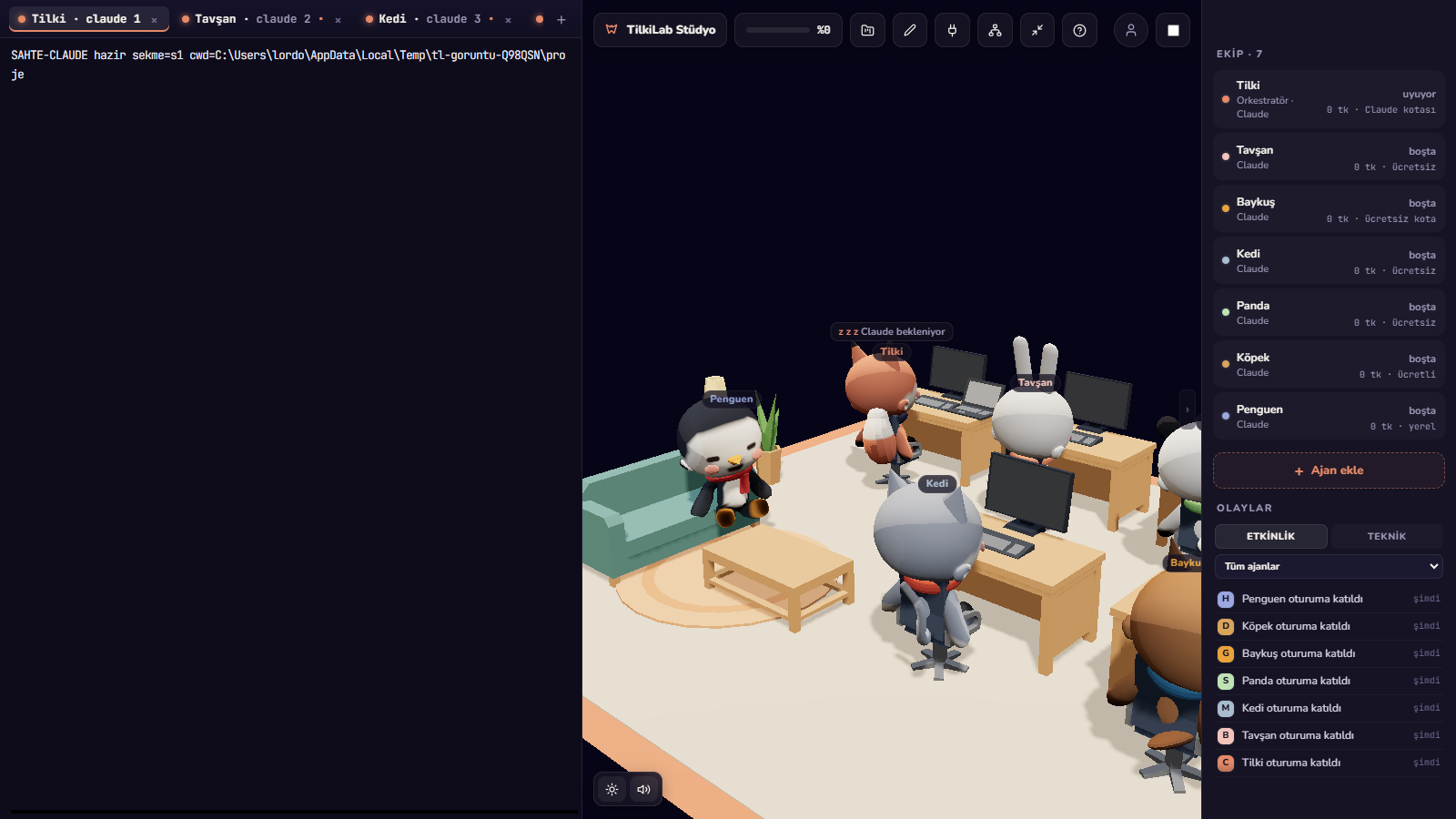
This is where a specialized multi-agent cockpit like Foxpit helps. Foxpit embeds native node-pty terminal sessions side-by-side and hooks directly into agent events:
- Visual 3D Office: Each agent is represented by a 3D mascot. When an agent is waiting for approval, its desk raises an alert flag.
- OS Flash & Chime: Foxpit flashes the operating system taskbar the second an approval is requested.
- Quick Switch: Click the agent's status bubble or the summary bar to jump directly to the waiting terminal, review the command, and press Enter.
Step 4: Merging and Cleaning Up
Once both agents complete their work and commit their branches, review each branch in isolation before merging into main:
# Check the git log of the feature branch
git log -n 3 feat/auth

# Merge into main from your primary repository directory
git checkout main
git merge --no-ff feat/auth

# Remove the worktree directory when finished
git worktree remove ../feature-auth
Summary Checklist for Parallel Agents
- Always create a dedicated
git worktreefor every parallel agent session. - Scope each agent prompt to specific directories or sub-packages to prevent semantic conflicts.
- Use visual status flags or desktop notifications to prevent idle time during approval requests.
- Verify tests on each branch independently before merging.
Ready to streamline your multi-agent terminal setup?